


Wybór odpowiedniej rozdzielczości ekranu: przewodnik przyjazny dla użytkownika
11 grudnia 2025 r.
Rozdzielczość wyświetlacza jest jednym z najważniejszych czynników decydujących o wyglądzie interfejsu produktu. Od niej zależy, ile informacji można wyświetlić jednocześnie, jak wyraźnie są one renderowane i jak dobrze wyświetlacz spełnia funkcję produktu. Dla inżynierów pracujących w branżach takich jak medyczna, przemysłowa czy motoryzacyjna rozdzielczość ma bezpośredni wpływ na użyteczność, wydajność i sposób postrzegania produktu w praktyce. Wpływa ona na układ interfejsu, interakcję z użytkownikiem oraz czas, przez jaki wyświetlacz pozostaje sprawny w całym cyklu życia produktu.
W tym artykule:
- Co to jest rozdzielczość ekranu?
- Kluczowe czynniki, które należy wziąć pod uwagę przy wyborze rozdzielczości
- Dopasowanie rozdzielczości do zastosowania
- Zrozumienie roli współczynnika proporcji
- Wpływ rozdzielczości na projekt
- Indywidualne rozwiązania ekspozycyjne od Newhaven
- Ostateczne wskazówki dotyczące dokonania właściwego wyboru
- Gotowy do wyboru? Porozmawiajmy.
Co to jest rozdzielczość ekranu?
Rozdzielczość ekranu odnosi się do liczby pikseli rozmieszczonych w poprzek szerokości i wysokości ekranu. Zazwyczaj podaje się ją jako szerokość na wysokość, np. 800×480 lub 1280×800. Każdy piksel stanowi jednostkę danych wizualnych, a ich łączna liczba określa poziom szczegółowości wyświetlanego obrazu.
Rozdzielczość jest często mylona z rozmiarem ekranu, ale są to odrębne parametry. Dwa wyświetlacze mogą mieć takie same wymiary fizyczne, ale różnić się poziomem ostrości w zależności od gęstości pikseli, często mierzonej w PPI (pikselach na cal) lub DPI (punktach na cal). Wyższa gęstość pikseli zwiększa szczegółowość i powierzchnię użytkową ekranów o tym samym rozmiarze. Wyższa rozdzielczość pozwala również na wyświetlanie większej ilości treści i poprawia klarowność obrazu na większych wyświetlaczach.
Rozdzielczość zwiększa wymagania dotyczące przetwarzania i pamięci systemu, co sprawia, że jest to ważny czynnik, który należy wziąć pod uwagę zarówno podczas planowania interfejsu, jak i wyboru sprzętu.
Kluczowe czynniki, które należy wziąć pod uwagę przy wyborze rozdzielczości
Rozdzielczość wpływa na klarowność, gęstość treści i obciążenie systemu. Najlepszy wybór zależy od tego, w jaki sposób wyświetlacz będzie używany, co ma być wyświetlane i w jaki sposób użytkownicy będą z nim współpracować.
Wymagania dotyczące wniosku
Rozdzielczość powinna odpowiadać złożoności wyświetlanych treści. Podstawowe odczyty mogą wymagać niższej gęstości pikseli, natomiast interfejsy z wieloma punktami danych lub menu korzystają z wyższych rozdzielczości, które zapewniają wyraźniejszy układ i nawigację.
W przypadku zastosowań takich jak urządzenia medyczne lub sterowanie przemysłowe, ilość i rodzaj informacji wyświetlanych na ekranie powinny od samego początku decydować o wyborze rozdzielczości.
Odległość oglądania i rozmiar ekranu
Rozdzielczość wyświetlacza powinna być dostosowana do wyświetlanej treści i odległości użytkowników od ekranu. Wyższa rozdzielczość pozwala dostrzec drobne szczegóły, ale tylko wtedy, gdy odległość oglądania pozwala je docenić. W przypadku większych ekranów lub ekranów oglądanych z bliska większa gęstość pikseli poprawia ostrość i czytelność obrazu. W przypadku mniejszych ekranów lub ekranów oglądanych z większej odległości niższa rozdzielczość może być bardziej wydajna i nadal zapewniać wyraźny, czytelny obraz.
Z tego samego powodu telebim wygląda świetnie z drugiej strony stadionu, ale nie nadawałby się do użytku jako monitor komputerowy. Rozmiar pikseli musi być dostosowany do odległości oglądania, aby treść była czytelna, a wrażenia wizualne efektywne.
Złożoność interfejsu użytkownika
Wyższa rozdzielczość oznacza więcej przestrzeni użytkowej. Interfejsy użytkownika, które wyświetlają duże ilości danych lub treści warstwowe, wymagają większej liczby pikseli, aby układ był czytelny i wydajny.
Gdy rozdzielczość jest zbyt niska dla projektu interfejsu, użytkownicy mogą być zmuszeni do częstszego przewijania, przełączania lub zmiany widoku. Powoduje to utrudnienia w wykonywaniu zadań i może prowadzić do mniej wydajnej obsługi.
Budżet i konsekwencje finansowe
Wyższe rozdzielczości mogą zwiększać koszty poprzez bardziej złożony sprzęt wyświetlający, większe wymagania przetwarzania i dodatkową pamięć. Czynniki te mają również wpływ na zużycie energii i projekt termiczny.
W zastosowaniach, w których istotny jest budżet, warto dokładnie określić, jaka rozdzielczość jest potrzebna do wyświetlania danego obrazu. Niższa rozdzielczość, która spełnia cele funkcjonalne, może zapewnić większą wydajność bez utraty użyteczności.
Dopasowanie rozdzielczości do zastosowania
Wymagania dotyczące rozdzielczości różnią się w zależności od branży, a nawet między typami produktów w tej samej kategorii. Ręczne narzędzie diagnostyczne i pełnowymiarowy panel sterowania mogą pełnić podobne funkcje, ale wymagają różnych rozdzielczości w zależności od rozmiaru ekranu, odległości oglądania i złożoności interfejsu.
Urządzenia medyczne
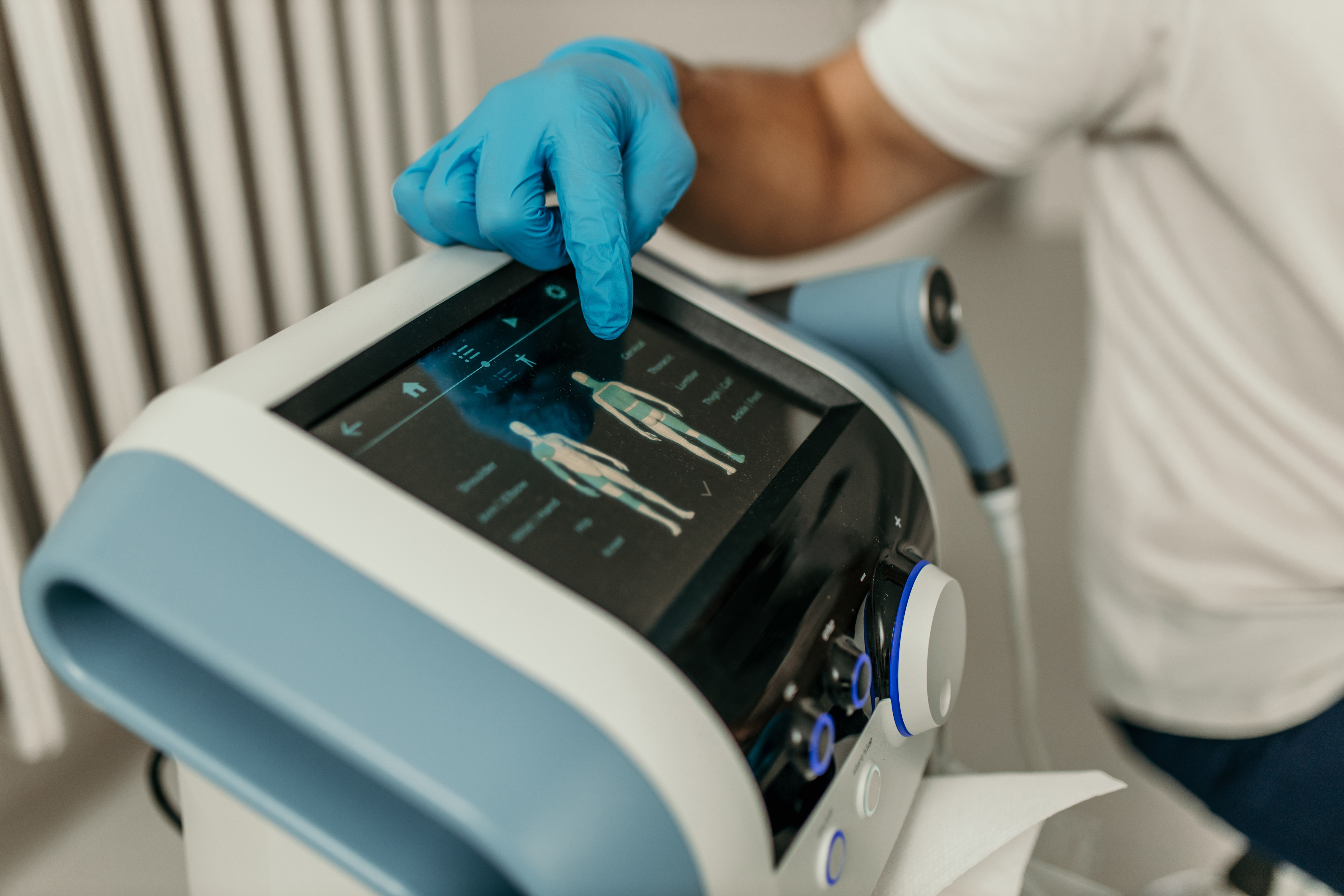
Wyświetlacze medyczne muszą zapewniać ostry, czytelny obraz, który pozwala użytkownikom szybko i dokładnie interpretować informacje. Wyższa rozdzielczość jest cenna w urządzeniach wyświetlających obrazy, przebiegi lub dane wieloparametrowe. W mniejszych narzędziach diagnostycznych gęstość pikseli może być niższa, ale klarowność obrazu pozostaje ważna dla bezpiecznej i wydajnej pracy.
Sprzęt przemysłowy
Wyświetlacze stosowane w środowiskach przemysłowych muszą pozostawać wyraźne w jasnym świetle i czytelne pod różnymi kątami lub z różnych odległości. Panele sterowania wyświetlające schematy, alerty lub wieloekranowe przepływy pracy wymagają wyższej rozdzielczości niż podstawowe odczyty, nawet w ramach tej samej linii urządzeń. Rozdzielczość powinna odpowiadać poziomowi szczegółowości, który operatorzy muszą widzieć bez dodatkowego wysiłku.

Zastosowania motoryzacyjne
Wyświetlacze w pojazdach muszą pozostawać wyraźne w różnych warunkach oświetleniowych i kątów widzenia. Zestawy wskaźników, systemy informacyjno-rozrywkowe i wyświetlacze kamer mają różne wymagania dotyczące rozdzielczości w zależności od ich funkcji. Ekrany wyświetlające mapy, alerty w czasie rzeczywistym i warstwowe dane pojazdu korzystają z większej liczby pikseli, aby zachować czytelność.

Elektronika użytkowa
W przypadku produktów konsumenckich rozdzielczość często wpływa na postrzeganą jakość. Urządzenia takie jak panele inteligentnego domu, systemy audio i narzędzia ręczne wymagają wyraźnego obrazu, aby poprawić użyteczność i zadowolenie użytkowników. Wyższa rozdzielczość pomaga wyświetlać ikony, elementy dotykowe i tekst z większą precyzją, zwłaszcza na mniejszych ekranach, gdzie przestrzeń jest ograniczona.

Zastosowania morskie i outdoorowe
Wyświetlacze w środowiskach zewnętrznych i morskich często przedstawiają gęste informacje na mniejszych ekranach. Rozdzielczość odgrywa kluczową rolę w zapewnieniu czytelności tych treści, zwłaszcza w przypadku map, danych systemowych lub grafiki warstwowej. Gdy przestrzeń jest ograniczona, a warunki ulegają zmianom, wyższa rozdzielczość pomaga zachować ostrość i czytelność.
Zrozumienie roli współczynnika proporcji
Proporcje obrazu wpływają na strukturę i odbiór treści wizualnych. Określają one kształt wyświetlacza i decydują o rozmieszczeniu informacji w tej przestrzeni. Niedopasowanie proporcji obrazu do układu informacji może prowadzić do nieestetycznych odstępów lub braku równowagi wizualnej.
Wybór rozdzielczości oznacza uwzględnienie nie tylko liczby pikseli, ale także sposobu ich rozmieszczenia. Standardowe proporcje obrazu, takie jak 4:3 lub 16:9, sprawdzają się w większości zastosowań, ale niektóre projekty mogą wymagać szerszych lub wyższych formatów, które lepiej pasują do treści.
Na przykład wyświetlacze typu barowego oferują rozszerzone układy poziome, idealne do systemów menu, oprzyrządowania lub ograniczonych przestrzeni mechanicznych.
Wpływ rozdzielczości na projekt
Rozdzielczość wpływa na wiele aspektów gotowego produktu, od wyboru sprzętu po układ fizyczny. Wyższe rozdzielczości mogą zwiększyć rozmiar wyświetlacza lub wpłynąć na wymagania dotyczące interfejsu komunikacyjnego, co z kolei ma wpływ na wymiary obudowy i rozmieszczenie elementów wewnętrznych.
Wpływa również na sposób interakcji użytkownika z urządzeniem. Zaawansowany interfejs użytkownika może wymagać bardziej precyzyjnego rozmieszczenia elementów dotykowych lub innego grupowania danych w zależności od tego, co jest wyświetlane na ekranie. Decyzje te mają wpływ na układ interfejsu użytkownika, zachowanie użytkownika i ostateczny sposób użytkowania produktu w terenie.
Indywidualne rozwiązania ekspozycyjne od Newhaven
Standardowe rozdzielczości nie zawsze odpowiadają wymaganiom technicznym lub mechanicznym projektu. Newhaven ściśle współpracuje ze swoimi klientami w celu opracowania TFT i LCD , które są dostosowane do konkretnych wymagań dotyczących rozmiaru, rozdzielczości i interfejsu.
Niezależnie od tego, czy potrzebujesz zintegrować wyświetlacz z niewielką obudową mechaniczną, dopasować go do określonego protokołu komunikacyjnego, czy też uzyskać konkretną kombinację jasności i rozdzielczości, nasz zespół pomoże Ci podjąć te decyzje na wczesnym etapie, kiedy są one najłatwiejsze do wdrożenia.
Ostateczne wskazówki dotyczące dokonania właściwego wyboru
- Zacznij od aplikacji. Określ, co ma wyświetlać wyświetlacz i gdzie będzie używany. Wyższa rozdzielczość może zwiększyć złożoność i koszt.
- Weź pod uwagę wymagania systemowe. Rozdzielczość ma wpływ na pamięć, przetwarzanie, moc i układ.
- Dostosuj rozdzielczość do rozmiaru ekranu i odległości oglądania. Wyrazistość zależy od obu tych czynników.
- Zaplanuj interfejs z wyprzedzeniem. Upewnij się, że rozdzielczość pozwala na uzyskanie przejrzystego i czytelne układu.
Gotowy do wyboru? Porozmawiajmy.
Jeśli planujesz wprowadzenie nowego produktu i potrzebujesz pomocy w wyborze odpowiedniej rozdzielczości wyświetlacza, nasz zespół chętnie Ci pomoże. Skontaktuj się z nami, aby uzyskać wycenę lub rozpocznij rozmowę na temat rozwiązaniach niestandardowych dostosowanych do Twojego projektu.