


-


1.5 inch TFT Display / 240x240 / Square / Sunlight Readable /Resistive Touchscreen / IPS / SPI or Parallel Interface
Model: NHD-1.5-240240AF-CSXP-T
Outline: 35.52mm x 35.32mm
$13.00IN STOCK -


1.5 inch TFT Display / 240x240 / Square / Sunlight Readable / IPS / SPI or Parallel Interface
Model: NHD-1.5-240240AF-CSXP
Outline: 35.52mm x 35.32mm
$10.25IN STOCK -


1.8 inch TFT Display / 128x160 / Sunlight Readable / Resistive Touchscreen / SPI Interface
Model: NHD-1.8-128160EF-SSXN-FT
Outline: 34.7mm x 46.75mm
$11.44IN STOCK -


1.8 inch TFT Display / 128x160 / Sunlight Readable / SPI Interface
Model: NHD-1.8-128160EF-SSXN-F
Outline: 34.7mm x 46.75mm
$10.40IN STOCK -


1.8 inch TFT Display / 128x160 / Sunlight Readable / Hot Bar to PCB Solder / Parallel Interface
Model: NHD-1.8-128160EF-CSXN#
Outline: 34.7mm x 46.75mm
$10.40IN STOCK -


1.8 inch TFT Display / 128x160 / Sunlight Readable / Parallel Interface
Model: NHD-1.8-128160EF-CSXN#-F
Outline: 34.7mm x 46.75mm
$10.40IN STOCK -


1.8 inch TFT Display / 128x160 / Resistive Touchscreen / Parallel Interface
Model: NHD-1.8-128160EF-CTXI#-FT
Outline: 34.7mm x 46.75mm
$11.44IN STOCK -


1.8 inch TFT Display / 128x160 / Resistive Touchscreen / Hot Bar to PCB Solder / Parallel Interface
Model: NHD-1.8-128160EF-CTXI#-T
Outline: 34.7mm x 46.75mm
$11.44IN STOCK -

1.8 inch TFT Display / 128x160 / Hot Bar to PCB Solder / Parallel Interface
Model: NHD-1.8-128160EF-CTXI#
Outline: 34.7mm x 46.75mm
$10.35IN STOCK -
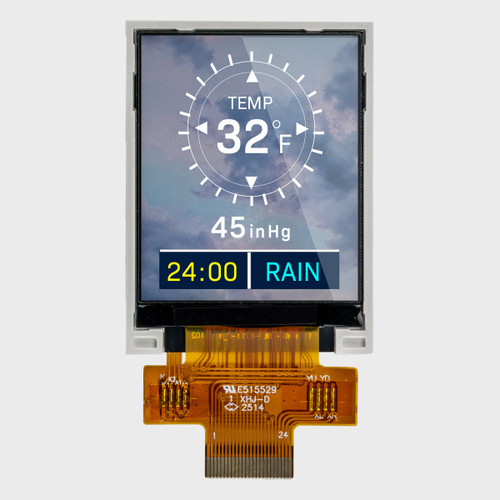

1.8 inch TFT Display / 128x160 / Parallel Interface
Model: NHD-1.8-128160EF-CTXI#-F
Outline: 34.7mm x 46.75mm
$10.35IN STOCK -


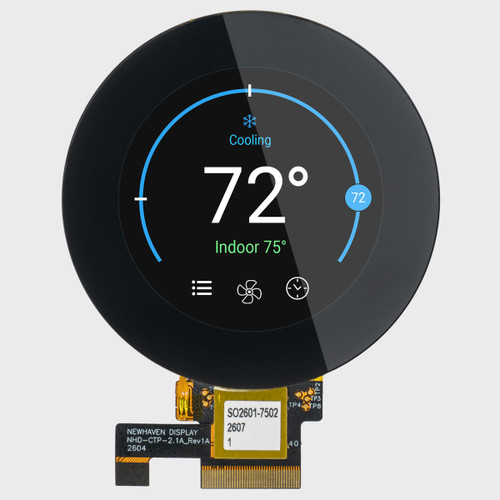
2.1 inch Round TFT LCD / 480x480 IPS Sunlight Readable / RGB - MIPI DSI Interface with Capacitive Touchscreen
Model: NHD-2.1-480480AF-ASXP-CTP
Outline: 76.68mm x 76.68mm
$29.90IN STOCK -


2.1 inch TFT Display / 480x480 / Round / Sunlight Readable / IPS / RGB - MIPI DSI Interface
Model: NHD-2.1-480480AF-ASXP
Outline: 58.18mm x 60.71mm
$19.90IN STOCK
TFT Displays
Bright, Full-Color TFT Displays Engineered for Visual Precision and Control
Deliver vivid graphics, fast updates, and crisp detail with our full-color TFT LCDs. From standard TN to IPS and sunlight readable options, these displays come in a wide range of sizes, touch options, and interfaces — including HDMI, SPI, and LVDS — for effortless integration into any project.
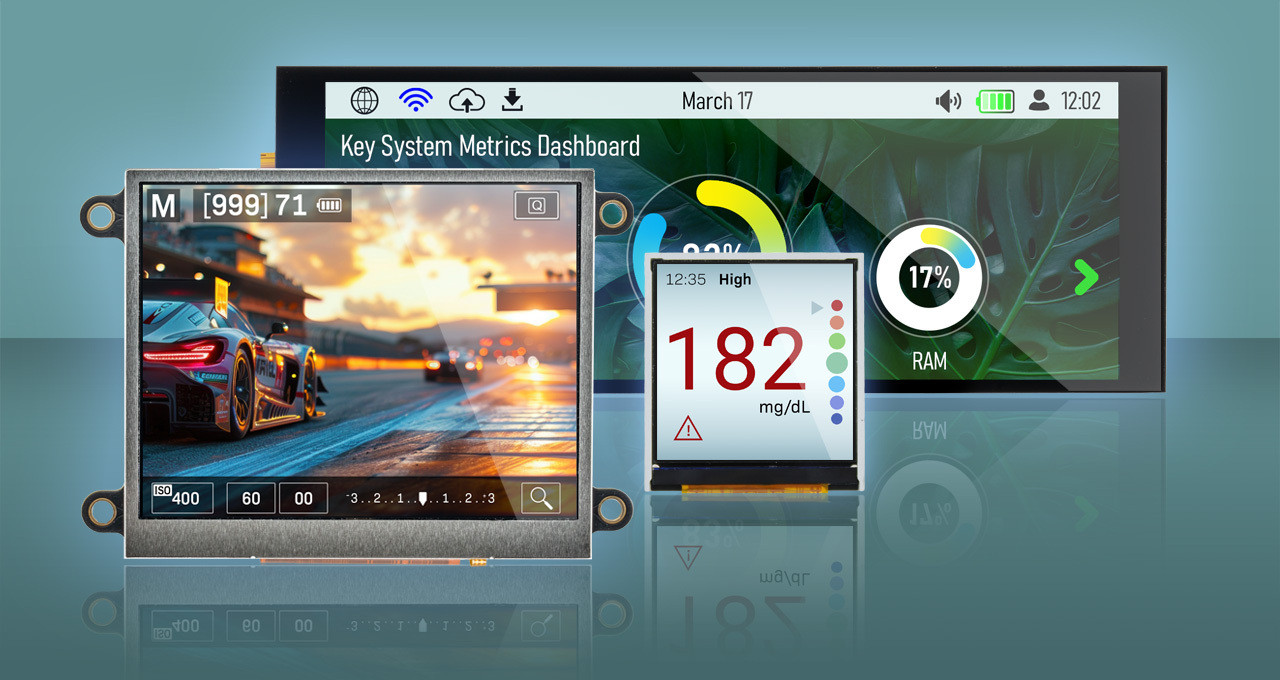
How to Choose a TFT Display
Here are six decisions to help narrow our wide selection of displays to the TFT that's right for your product: size and resolution, interface, panel technology, brightness, touch, and mounting. Work through them in order, and you'll land on a short list of in-stock modules ready to incorporate into your design.
01 · DISPLAY SIZE
Size, Resolution, and Shape
How much screen does your interface need?
TFTs are measured diagonally, and our lineup runs from 1.5" to 10.1" with resolutions from 128×160 up to 1024×600. Size and resolution are separate choices: a 4.3" panel comes in both 480×272 and 800×480, and the higher pixel count renders sharper text and icons. Start with the most detailed screen your UI needs to show, then check the outline dimensions against your enclosure. Need something other than a rectangle? Square, round, and bar-type formats fit dials, gauges, and narrow panels.
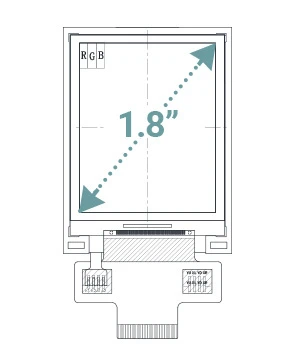 Standard
Dashboards
General-purpose HMIs
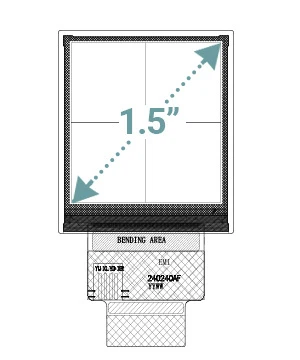 Square
Wall controls
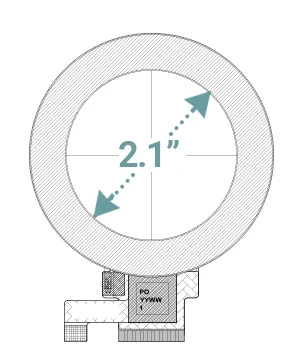 Round
Gauges
Rotary controls
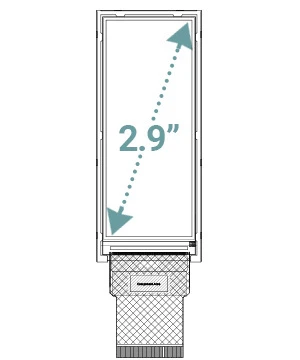 Bar-Type
Instrument clusters
Narrow equipment panels
02 · PANEL TECHNOLOGY
IPS, MVA, and TN
Who's looking at the screen and from where?
Panel technology decides how the image holds up when viewed off-center. Standard TN is cost-effective and fast, but colors shift when viewed from the side, so it suits a single user looking straight on. Premium MVA widens the viewing angle and improves color accuracy. IPS keeps color and contrast consistent from almost any position, which is why most of our TFTs use it.
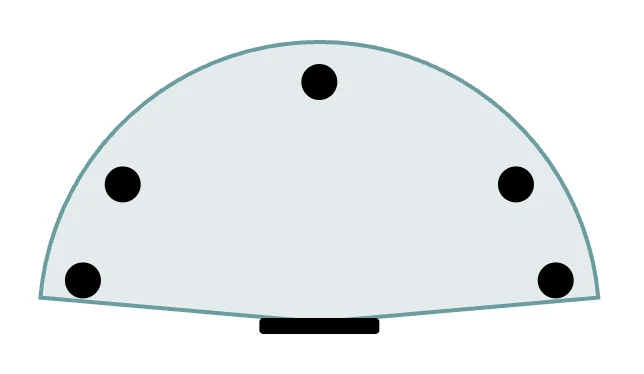 IPS
Full view
Color and contrast consistent from nearly any angle
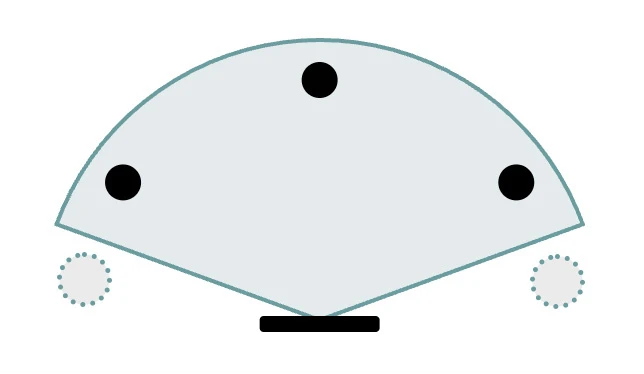 Premium MVA
Wide viewing angle
Good off-axis color with improved accuracy
 Standard TN
Narrow viewing angle
Colors shift noticeably off-center
 Viewing angle (top view)
 TFT
 Viewer sees true color
 Viewer sees color shift
03 · TOUCHSCREEN
Capacitive vs. Resistive
How will users interact with the screen?
Pick capacitive for a more phone-like feel. It supports multi-touch gestures, sits behind durable cover glass, and keeps the image bright and clear. Choose resistive when users wear gloves, hold a stylus, or work around water, since it responds to pressure. Skip touch to keep cost and power lowest when buttons or knobs handle input. On HDMI modules, capacitive touch connects over USB as a standard HID device, so most operating systems recognize it without extra drivers.
| Touch Type | Input | Multi-Touch | Gloves / Stylus | Water / Moisture | Surface |
|---|---|---|---|---|---|
| Projected Capacitive | Fingertip | Yes | Limited | Can Trigger False Touches | Cover glass |
| 4-Wire Resistive | Pressure | No | Yes | Tolerant | Flexible Film |
| Touch Type | Projected Capacitive | 4-Wire Resistive |
|---|---|---|
| Input | Fingertip | Pressure |
| Multi-Touch | Yes | No |
| Gloves / Stylus | Limited | Yes |
| Water / Moisture | Can Trigger False Touches | Tolerant |
| Surface | Cover glass | Flexible Film |
04 · INTERFACE
TFT Display Interface
What's driving the display: a microcontroller, a processor, or a computer?
Your host makes this decision for you. SPI and parallel TFTs include a controller with built-in frame memory, so a microcontroller can update the screen without holding a full frame itself. EVE modules add a graphics engine that handles widgets, fonts, and touch over SPI, putting 800×480 screens within reach of a modest MCU. RGB, MIPI DSI, and LVDS stream pixels continuously and need a processor with a display controller. HDMI modules plug straight into a Raspberry Pi or other single-board computer.
Faster refresh on small TFTs when I/O pins are available
Main ConsiderationUses 8-16 data lines plus control signals
2.1" - 10.1" displays on processors with a display controller
Main ConsiderationHigh pin count. Host refreshes the screen continuously from a frame buffer
Small screens (1.5" - 2.8") on pin-limited MCUs
Main ConsiderationLower bandwidth; best for static or slower-changing content
Touch HMIs from 3.5" to 7.0" driven by a simple MCU
Main ConsiderationFirmware is built around the EVE command set and library
Compact, high-resolution designs on application processors
Main ConsiderationNeeds a DSI-capable processor and high-speed board routing
6.8" - 10.1" displays and for longer cable runs
Main ConsiderationNeeds an LVDS transmitter on the host side
3.5" - 10.1" displays and it plugs straight into Raspberry Pi or other SBC
Main ConsiderationRuns on 5V (7.5V for 10.1") and has a larger footprint than a bare panel
 Frame memory or graphics engine
 Signal wire
 Differential pair
- MCU = Microcontroller
- MPU = Processor
- SBC = Single-board computer
05 · BRIGHTNESS
Standard vs. Sunlight Readable
Will your display face bright sunlight?
Brightness is measured in nits. Most indoor products need 250-400 nits, while daylight and high-glare settings call for 700 or more. Our sunlight readable TFTs use high-brightness LED backlights rated from about 700 to 1,200 nits while standard-brightness models typically run 200-480 nits and draw less power. A touch panel lowers brightness slightly (our 2.4" IPS goes from 1,200 to 1,020 nits with capacitive touch), so compare the exact variant you plan to use.

06 · MOUNTING
Mounting and Connection
Plug into a connector, solder to the board, or mount a complete module?
Most bare TFT panels connect by flex cable (FFC) to a ZIF connector on your board, which keeps rework easy. Hot-bar solder versions bond the flex directly to the PCB for a lower-profile, connector-free assembly in production. EVE and HDMI modules arrive on a PCB with mounting holes and standard headers or ports, the fastest path from bench to enclosure. Prototyping? Our breakout boards and controller boards turn a fine-pitch flex into pins you can wire.
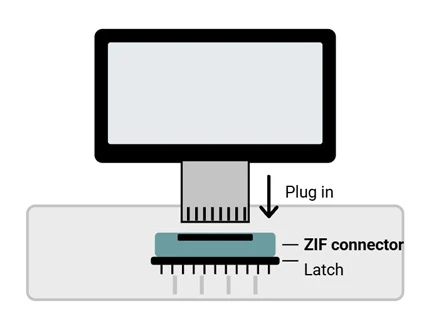 FFC to ZIF Connector
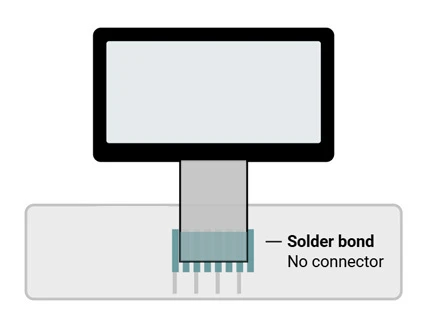 Hot-Bar Solder
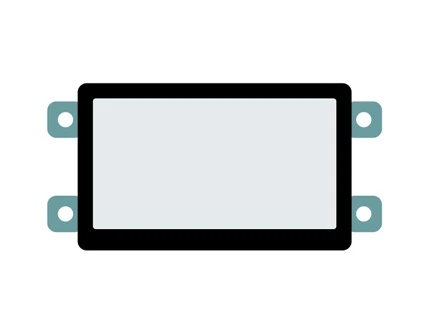 EVE & HDMI Modules
Frequently Asked Questions
IPS is a type of TFT. Every TFT uses thin-film transistors to control each pixel, while IPS (in-plane switching) describes how the liquid crystals move, which gives wider viewing angles and more consistent color than a standard TN panel. Most of our TFTs use IPS, with TN and Premium MVA options for cost- or application-specific designs.
It depends on the interface. SPI, parallel, and EVE TFTs include an on-board controller, so they connect directly to a microcontroller. RGB, MIPI DSI, and LVDS panels need a host processor with a built-in display controller or, for select sizes, one of our TFT controller boards. HDMI modules include their own decoder board and work with any HDMI source.
Yes. Small SPI and parallel TFTs and our EVE modules pair well with Arduino, and we offer an Arduino shield for FT81x EVE modules. HDMI TFTs plug directly into a Raspberry Pi or other single-board computer, and we offer a BeagleBone cape with a 7" capacitive IPS display. Our Support Center has example code, libraries, and datasheets to get you running on the bench.
Our standard TFTs are rated for -20°C to 70°C operating, which covers most indoor, industrial, and enclosed outdoor equipment. Storage ratings are listed on each product page. If your product will run colder, hotter, or in direct sun for long periods, talk to our engineers about your environment before you commit to a part number.
Yes. Common modifications include custom cover glass, optical bonding for outdoor readability, backlight brightness, cable length and connectors, and added capacitive or resistive touch. Our value-added services cover lighter changes such as pairing a TFT with a controller board, adding gaskets or EMI shielding, and tuning capacitive touch sensitivity. Start from the closest standard part and tell us what needs to change.
Order 1-2 pieces of any standard TFT directly from the product page, and most ship the same day. Once you've validated it on the bench, the same part number scales into volume pricing when you're ready for production.