


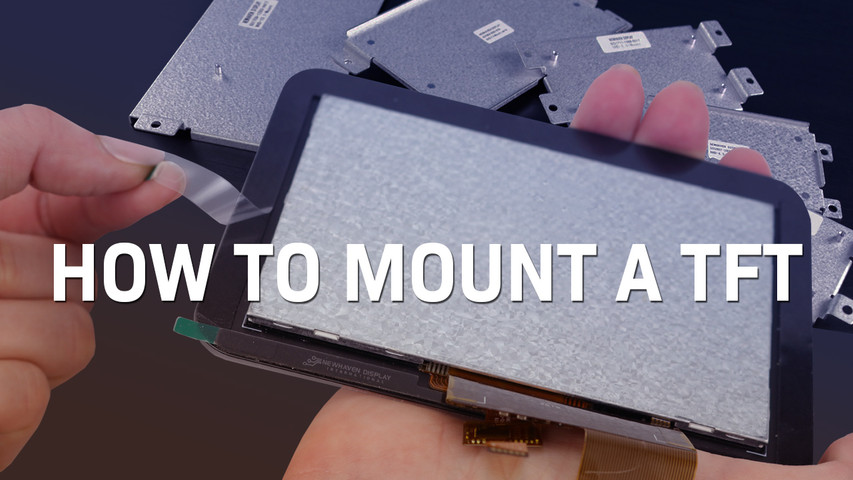
Come montare un display TFT
24 luglio 2025
La qualità di un display dipende dalla sua assemblaggio. In molti progetti integrati, il modo in cui un TFT può influire non solo sull'aspetto, ma anche sulle prestazioni a lungo termine. Anche il pannello più avanzato può risultare inadeguato se installato con un allineamento scadente, una spaziatura impropria o un supporto insufficiente.
Il montaggio può sembrare un passaggio secondario, ma influisce direttamente sulla durata, sulla precisione tattile e sull'affidabilità complessiva del prodotto. Errori in questa fase possono causare crepe sulle superfici, input errati o guasti prematuri difficili da individuare durante lo sviluppo, ma costosi sul campo.
Noi di Newhaven Display abbiamo visto praticamente ogni tipo di scenario, progetti che resistono per anni all'uso sul campo e altri che falliscono nei test a causa di piccoli errori di montaggio. La maggior parte dei guasti è dovuta a dettagli che si possono evitare: troppa pressione sul pannello, posizionamento errato della guarnizione o un cavo flessibile piegato oltre il limite. La differenza di solito non sta nel display stesso, ma nel modo in cui è integrato. Il montaggio di un TFT non è solo un passaggio meccanico, ma è una parte fondamentale della progettazione complessiva del sistema e merita la stessa attenzione.
In questo articolo:
Diversi tipi di tecniche di montaggio
Non esiste un unico modo per montare un display TFT. Il metodo corretto dipende dal layout meccanico del prodotto, dalle forze che agiscono sull'assemblaggio e dal livello di funzionalità richiesto. Detto questo, la maggior parte delle tecniche di montaggio rientra in una delle quattro categorie seguenti: cornici, staffe, clip o nastro adesivo.
Cornici
Il montaggio di un TFT dietro una cornice frontale è uno degli approcci più comuni. La cornice fornisce sia un supporto strutturale che una cornice visiva pulita. Se eseguito correttamente, protegge il display dagli urti diretti, nasconde gli elementi di montaggio e conferisce al prodotto una finitura elegante. Ma non è solo una questione estetica. È fondamentale mantenere una distanza adeguata tra la cornice e la superficie del display. Una pressione eccessiva può distorcere lo strato tattile o introdurre tocchi falsi, mentre uno spazio eccessivo può far entrare polvere o acqua.
Per colmare questo spazio vengono spesso utilizzate guarnizioni in schiuma. Queste guarnizioni non devono essere utilizzate per regolare la distanza, ma solo per sigillarla. Lo spazio effettivo deve essere controllato dalle parti non conformi dell'alloggiamento, non da un materiale comprimibile.

Staffe
Quando un display non dispone di fori di montaggio accessibili, è possibile utilizzare una staffa personalizzata. Le staffe offrono un supporto uniforme su tutto il pannello e riducono il rischio di flessione che potrebbe danneggiare gli strati interni nel tempo.
Questo approccio è particolarmente indicato per strutture robuste soggette a vibrazioni o uso frequente. Le staffe possono essere fissate con viti o altri dispositivi di bloccaggio, che tendono ad essere più affidabili rispetto agli adesivi da soli.

Clip
Le clip offrono un modo rapido e senza attrezzi per fissare un display. Sono comunemente utilizzate durante la fase iniziale di prototipazione o in produzioni di piccoli volumi in cui è importante mantenere semplice il design meccanico. Tuttavia, le clip non sono ideali per una durata a lungo termine, specialmente in ambienti in cui sono presenti urti o vibrazioni.
Negli ambienti di produzione, le clip vengono spesso combinate con una cornice o un adesivo per migliorare l'allineamento e il supporto.

Nastro adesivo
L'adesivo biadesivo può semplificare l'assemblaggio in involucri compatti o sigillati, ma deve essere utilizzato con cautela. Se l'alloggiamento si flette, l'adesivo a telaio intero potrebbe non mitigare lo stress irregolare. Gli adesivi limitano anche la possibilità di rielaborare l'assemblaggio se qualcosa va storto durante l'installazione.
Un approccio più efficace consiste nell'utilizzare l'adesivo solo su un lato, solitamente quello del touchscreen. Lo strato rivolto verso il display dovrebbe avere una forza di adesione inferiore per consentire una rimozione pulita. Newhaven Display fornisce adesivi per guarnizioni preapplicati che seguono questa strategia, offrendo una forte adesione dove necessario e una maggiore flessibilità durante la manutenzione o la riparazione.

Montaggio dei touchscreen sulla cornice dell'alloggiamento
Il montaggio su una cornice non serve solo a mantenere il display in posizione. Serve anche a mantenere il corretto rapporto meccanico tra la cornice e la superficie del touchscreen. Questo rapporto influisce sulle prestazioni del display nel tempo, specialmente nei prodotti esposti a vibrazioni, polvere o interazioni regolari da parte dell'utente.
È necessario mantenere una distanza controllata tra la superficie interna della cornice e il touchscreen. Tale distanza deve essere garantita da elementi rigidi dell'alloggiamento, non da schiuma o materiali comprimibili. Le guarnizioni in schiuma sono utili per la tenuta, ma non devono esercitare pressione sul display né determinare la distanza.
Le zone touch posizionate troppo vicino alla cornice possono causare una forte flessione e un conseguente deterioramento. Mantenere una distanza tra gli elementi interattivi e i bordi della cornice aiuta a prevenire la rottura dei rivestimenti e mantiene la precisione del touch nel lungo periodo.
Precauzioni e tolleranze
Tolleranze ben definite favoriscono un assemblaggio uniforme e contribuiscono a ridurre le variazioni tra i diversi lotti di produzione. Inoltre, facilitano la gestione dei cambiamenti meccanici che possono verificarsi con materiali, fornitori o cicli di produzione diversi.

Newhaven Display raccomanda le seguenti distanze minime:
A 1,0 mm (min) Dal bordo della cornice all'area attiva. (Previene i tocchi accidentali dovuti alla flessione della cornice, allo sporco, ecc.)
B 0,8 mm (min) Dal bordo della cornice all'area visibile. (offre un design della cornice esteticamente gradevole)
C 1,0 mm (min)* Bordo interno della guarnizione all'area visibile. (impedisce tocchi errati)
D 0,5 mm (min)* Guarnizione esterna da bordo a bordo del display. (previene i cortocircuiti elettrici)
*** Potrebbe essere necessario aumentare il valore per tenere conto dello spessore della guarnizione, del rapporto di compressione e della tolleranza dovuta alle limitazioni di assemblaggio.
L'impostazione di questi giochi con caratteristiche meccaniche rigide migliora la ripetibilità e riduce i problemi legati alla pressione che potrebbero non manifestarsi durante la prototipazione. Piccole modifiche durante la progettazione possono comportare un minor numero di regolazioni durante la produzione e risultati migliori sul campo.
Considerazioni e precauzioni relative alla coda
Il cavo flessibile è una parte fondamentale del gruppo display e spesso una delle più vulnerabili. Sebbene sia progettato per garantire una lunga durata, una manipolazione o un instradamento impropri possono causare danni che compromettono le prestazioni nel tempo.
Precauzioni per la movimentazione della coda
La coda flessibile deve essere trattata con cura durante ogni fase del processo di costruzione. Un uso improprio può causare sollecitazioni o contaminazioni che nel tempo compromettono le prestazioni elettriche o l'affidabilità meccanica.
Per proteggere la coda:
- Sostenete il display dal corpo, non dalla coda. Afferrare la coda, anche solo per un attimo, può sollecitare il punto di connessione o disallineare gli strati interni.
- Evitare di piegare la coda durante l'installazione. Una flessione eccessiva può causare crepe nei tracciati o percorsi di segnale intermittenti.
- Evitare il contatto con conduttori esposti. L'olio e i residui presenti sulle mani o sugli strumenti possono interferire con la chiarezza del segnale o causare corrosione.
Considerazioni sul design della coda
Il layout della coda deve essere preso in considerazione nelle prime fasi della progettazione meccanica per evitare problemi di instradamento in seguito. Alcune linee guida possono aiutare a ridurre al minimo i problemi di segnale e lo stress meccanico durante la vita utile del prodotto.
- Prevedere una leggera curvatura nel percorso della coda. Un raggio di curvatura di 2-3 mm aiuta a prevenire lo stress a lungo termine in prossimità della giunzione e favorisce la stabilità meccanica nel tempo.
- Tenere la coda lontana da componenti rumorosi. Evitare di posizionarla vicino a circuiti di alimentazione, inverter o bobine che potrebbero causare interferenze elettriche.
- Consentire un posizionamento naturale. La coda deve rimanere al suo posto senza essere tirata, torcita o forzata eccessivamente per allinearla.
- Non è necessario alcun dispositivo di scarico della trazione se la disposizione evita tensioni. È preferibile evitare lo stress meccanico attraverso un instradamento pulito, senza aggiungere hardware.
Un design pulito previene la perdita di segnale e l'usura, specialmente nei prodotti esposti a movimenti o vibrazioni.
Considerazioni finali
Le decisioni relative al montaggio dei display TFT influenzano ogni aspetto, dall'assemblaggio alla durata del prodotto. Curare i dettagli riduce i ritardi, previene i guasti e rafforza il design complessivo.
Newhaven Display lavora a stretto contatto con gli ingegneri per risolvere le sfide di integrazione prima che raggiungano la fase di produzione. Il nostro team apporta esperienza, flessibilità e rapidità di esecuzione a ogni progetto.
Contattaci per ricevere assistenza nella progettazione o richiedere un preventivo in giornata per portare avanti il tuo progetto.